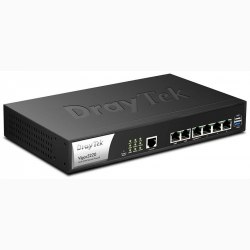
DRAYTEK VIGOR2912n
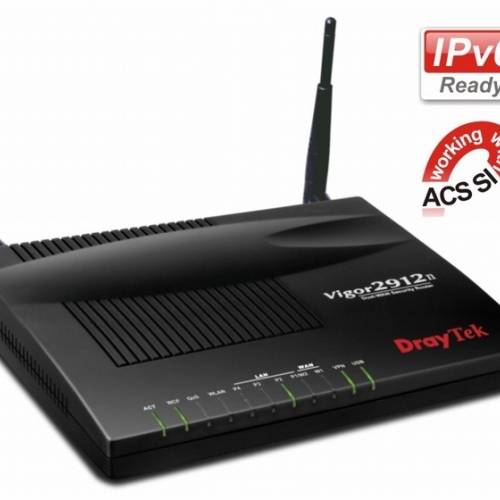
DRAYTEK VIGOR2912n
Tính năng tương tự như Vigor2912, có thêm:
- Wifi 802.11N tốc độ 300Mbps, 4 SSID độc lập, hỗ trợ IPTV không dây, xem IPTV trên PC qua Wifi.
- Web Portal: URL Redirect or show Message
- GIÁ LUÔN TỐT NHẤT
Cam kết giá tốt nhất cho Khách hàng - BẢO HÀNH
Cam kết bảo hành chính hãng - CHÍNH SÁCH ĐỔI TRẢ
Đổi trả dễ dàng những sản phẩm bị lỗi - GIAO HÀNG ĐẢM BẢO
Giao hàng tận nơi
Địa chỉ: 20/50 Đường số 5, Phường Bình Hưng Hòa, Thành phố Hồ Chí Minh, Việt Nam
Hotline: (028)62.677.398
Kỹ thuật: 0909.605.998
Bảo hành: 0901.387.998
Sale 1: 0936.387.998
Sale 2: 0902.438.747
Email: info@vienthongvina.net
Website: https://vienthongvina.net
- Thông tin sản phẩm
- Hướng dẫn thanh toán
- Chính sách vận chuyển
- Quy định đổi trả
DRAYTEK VIGOR2912n
Tính năng tương tự như Vigor2912, có thêm:
- Wifi 802.11N tốc độ 300Mbps, 4 SSID độc lập, hỗ trợ IPTV không dây, xem IPTV trên PC qua Wifi.
- Web Portal: URL Redirect or show Message
FEATURES
- Dual WAN load-balance and redundancy (broadband)
- USB 2.0 port as WAN 3 (3G/4G USB mobile broadband)
- Object-based firewall with Web Content Filtering
- Bandwidth management with intelligent VoIP Qos
- 16 VPN tunnels with VPN failover (backup)
- 802.11n wireless LAN
- TR-069 Central Management via the VigorACS SI
- Support IPv6 and IPv4 networks
Smart Monitor Traffic Analyzer (Up to 30 nodes)
The Vigor2912 Series designed for the small office applications helps your businesses achieve the goals of business growth, innovation and responsiveness. This ideal VPN/firewall router replaces the simple Wi-Fi router offered by ISPs. The dual WAN load-balance and redundancy ensures your office to stay connected. The network security is realized by robust firewall and Web Content Filtering. All your subscribed bandwidth can be smoothly allocated to the essential applications (e.g. VoIP) by the advanced QoS. The VPN tunnels cover the needs of the inter-office / remote access via multiple protocols. The secure Wi-Fi network enables the office environment ready for the trend of BYOD (Bring Your Own Device) to enhance the productivity. At last but not least, the Vigor2912 Series supports the IPv6 for the seamless migration.
Dual WAN load-balance and redundancy
The Vigor2912 Series offers two fast Ethernet ports as WAN interface (LAN port 1 can be configured as WAN 2.). You have the flexibility to choose different Internet feeds based on the local High Speed Internet plan offered by the ISP and get the reliable connection via dual WAN load-balance and redundancy. As enabling both WAN 1 and WAN 2, 2 WANs share Internet traffic requirements of your organization (load-balance). During downtime, you will always have an access to the Internet even if one of the WAN fails (redundancy).
USB 2.0 port for 3G/4G LTE mobile, FTP drive and network printers
The USB port can be used for the connection of 3G/4G mobile broadband dongle as the USB WAN (WAN 3). The USB WAN interface can also be the primary access if the local fixed line service hasn’t been deployed yet. Another two popular applications are the FTP drive and network printers for the office.
Object-based firewall with Web Content Filtering
The Vigor2912 Series supports Object-based SPI firewall to set of Call/Data Filters and DoS/DDoS prevention. You can use pre-define objects or groups for IP, service type, keyword, file extension, etc., and mix these with the Time Scheduler or the VLAN groups as required. The Web Content Filter, powered by the Commtouch Web WCF of Content Security Management (CSM) eases configurations to prevent access to inappropriate sites. The IM/P2P/Protocol filter and URL Content Filter are also available in CSM. Your network security is fully managed by the Vigor2912 Series.
Bandwidth management with intelligent VoIP QoS
Small offices normally choose the affordable Internet plan instead of increasing the bandwidth over 100Mbps. Hence, how to reserve and prioritize bandwidth for the essential applications is critical to operation. The Vigor2912 Series has VoIP QoS to guarantee the priority for VoIP calls automatically once VoIP calls was detected. In addition to QoS, you can manage the bandwidth consumption of every employee based on the individual IP via Session Limit and Bandwidth Limit. The Smart Bandwidth Limit allows you to only set bandwidth reservation for PCs operated essential tasks. Other PCs have the session limitation to prevent the inappropriate usages (e.g. P2P download). Once exceeding the limitation, their speed rates will be downgrade to your customized numbers. You can guarantee all subscribed bandwidth to have proper usage.
VPN for secure inter-office / remote access
The Vigor2912 series support up to 16 LAN-to-LAN VPN tunnels secure remote data access, such as inter-office, or home-office communication with multi-protocols: PPTP /IPSec/L2P/L2TP over IPSec.
Its advanced AES/DES/3DES encryption and IKE Authentication provide you with strong security. The dual WAN feature can not only allow you to run load-balancing but also backup. If the main VPN fail, the second VPN takes over.
Secure business Wi-Fi network
The Wi-Fi access is fully protected by security and encryption protocols, including WEP/WPA/WPA2, MAC Address Control, Multiple SSID, Wireless LAN Isolation, Wireless VLAN and 802.1x Authentication. You can ensure only authorized devices to access the Wi-Fi network and separate guest and corporate network via SSID.
The Wireless Rate Control function allows connection rates for each network device to be individually managed as required. The WMM (Wi-Fi Multi-Media) function allows setting of priority levels for various applications: voice, video, data, etc., so time-critical applications can be assigned higher priority levels. Furthermore, WDS (Wireless Distribution System) function allows you to extend the wireless coverage distance easily.
The 'SSID VLAN grouping with LAN port' settings will allow each of the wireless SSIDs to be grouped within one of the VLANs.
The WMM (Wi-Fi Multimedia) keeps the priority of voice, video and audio applications in a Wi-Fi network.
User Management
The 'User Management' implemented on your router firmware can allow you to prevent any computer from accessing your Internet connection without a username or password. You can set scheduler or maximum usage time to your employees within office network. The user accounts can also be restricted by any other aspect of the firewall rule on a user-by-user basis.
Working with DrayTek Network Traffic Analyzer and Central Management
Vigor2912 series support DrayTek’s SmartMonitor network traffic analyzer (up to 30 users), which captures actual live data of activities in your managed network, such as the content of MSN entering to or out of your network. You can track specified files download/upload or view statistics on data type activities to realize what corporate related information have been released accidentally or on purpose. If your main office self-hosts VigorACS SI central management, your Vigor2912 series can be remotely managed for firmware upgrade, alarm of disconnection, VPN establishment and other settings.
SPECIFICATIONS
1. WAN Feature
Ethernet
- IPv4- DHCP Client, Static IP, PPPoE, PPTP, L2TP, 802.1p/q Multi-VLAN Tagging
- IPv6- Tunnel Mode: PPP, TSPC, AICCU, 6in4, 6rd
Dual Stack:DHCPv6 Client, Static IPv6, DSLite
- USB WAN
- PPP
- Outbound Policy-based Load-balance
- WAN Connection Failover
- 30,000 NAT Sessions
2. Firewall
- Multi-NAT, DMZ Host, Port-Redirection and Open Port
- Object-based Firewall
- MAC Address Filter
- SPI (Stateful Packet Inspection) (Flow Track)
- DoS/DDoS Prevention
- IP Address Anti-spoofing
- E-mail Alert and Logging via Syslog
- Bind IP to MAC Address
- Time Schedule Control
- IPv6 Firewall
- User Management
3. VPN
- Up to 16 VPN Tunnels
- Protocol : PPTP, IPSec, L2TP, L2TP over IPSec
- Encryption : MPPE and Hardware-based AES/DES/3DES
- Authentication : MD5, SHA-1
- IKE Authentication : Pre-shared key and Digital Signature (X.509)
- LAN-to-LAN, Host-to-LAN
- IPsec NAT-traversal (NAT-T)
- Dead Peer Detection (DPD)
- VPN Backup Mode
- DHCP over IPSec
- VPN Pass-through
- VPN Wizard
- mOTP
4. USB
- Printer Sharing
- File Sharing: ◾Support FAT32 File System
- Support FTP Function for File Sharing
- Support Samba for File Sharing
- 3.5G (HSDPA)/4G (LTE) as WAN3
5. Bandwidth Management
- QoS : ◾Guarantee Bandwidth for VoIP (VoIP Qos)
- Class-based Bandwidth Guarantee by User-defined Traffic Categories
- DiffServ Code Point Classifying
- 4-level Priority for Each Direction (Inbound/Outbound)
- Bandwidth Borrowed
- Bandwidth/Session Limitation
- Layer-3 (TOS/DSCP) QoS Mapping
- Smart Bandwidth Limitation (Triggered by Traffic/Session)
6. Network Management
- Web-based User Interface (HTTP/HTTPS)
- Quick Start Wizard
- CLI (Command Line Interface, Telnet/SSH)
- Administration Access Control
- Configuration Backup/Restore
- Built-in Diagnostic Function
- Firmware Upgrade via TFTP/FTP/HTTP/TR-069
- Logging via Syslog
- SNMP V2/V3
- Management Session Time Out
- Two-level Management (Admin/User Mode)
- External Device
- TR-069
- Support Smart Monitor (Up to 30 PCs)
8. Content Security Management
- IM/P2P Application
- URL Content Filter : ◾URL Keyword Blocking (White List and Black List)
- Java Applet, Cookies, Active X, Compressed, Executable, Multimedia File Blocking
- Excepting Subnets
- GlobalView Web Content Filter (Powered by commtouch)
9. Network Features
- DHCP Client/Relay/Server
- RADVD for IPv6
- DHCPv6 Server
- Static IPv6 Address Configuration
- IGMP Proxy V2/V3
- IGMP Snooping
- Dynamic DNS
- NTP Client
- RADIUS Client
- DNS Cache/Proxy
- UPnP 30 Sessions
- Routing Protocol: ◾Static Routing
- RIP V2
- VLAN Tagging(802.1q) on LAN
10. Wireless AP
- IEEE802.11n Compliant (2.4GHz)
- Wireless Client List
- Wireless Isolation
- Wireless Security ◾WEP 64/128 bit
- WPA-TKIP/WPA2-AES/Mixed(WPA+WPA2)
- 802.1x Authentication
- Hidden SSID
- Multiple SSID
- Wireless MAC Address Filter
- Access Point Discovery
- WDS (Wireless Distribution System)
- SSID VLAN Grouping with LAN Port
- Wireless Rate-control
- WMM
- WPS
- Sản xuất tại Đài loan.
- Bảo hành: 12 tháng.
1. PHƯƠNG THỨC GIAO HÀNG - TRẢ TIỀN MẶT
Phương thức Giao hàng - Trả tiền mặt chỉ áp dụng đối với những khu vực chúng tôi hỗ trợ giao nhận miễn phí (tham khảo thêm chính sách vận chuyển) hoặc trả tiền mua hàng trực tiếp tại văn phòng công ty.
2. PHƯƠNG THỨC THANH TOÁN TRƯỚC:
Chuyển tiền, chuyển khoản, thanh toán trực tiếp bằng tiền mặt hoặc qua thẻ.
Áp dụng cho khách hàng ngoài khu vực hỗ trợ giao nhận miễn phí và khách hàng có nhu cầu sử dụng phương thức thanh toán này.
Thông tin tài khoản Công ty TNHH Công Nghệ Viễn Thông Vina
TK ngân hàng: 0441000737085 NGÂN HÀNG VIETCOMBANK CHI NHÁNH TÂN BÌNH
Lưu ý:
- Bất kỳ tài khoản nào không được cập nhật ở trên đều không có giá trị thanh toán.
* Để phản ánh về chất lượng dịch vụ quý khách vui lòng liên hệ: Mr San 0903.948.914
Cám ơn Quý khách đã quan tâm, chọn mua sản phẩm và dịch của CÔNG TY TNHH CÔNG NGHỆ VIỄN THÔNG VINA.
vienthongvina.net UY TÍN - TẬN TÂM
Chính sách vận chuyển
VIỄN THÔNG VINA GIAO HÀNG TẬN NƠI VÀ CHUYỂN PHÁT TOÀN QUỐC
Đối với khách hàng ở khu vực Tp.Hồ Chí Minh:
- Giao hàng tận nơi, miễn phí tiền ship
Đối với khách hàng không ở khu vực Tp.Hồ Chí Minh:
- Khách hàng vui lòng tìm hiểu kĩ về sản phẩm mình định đặt hàng. Sau đó chuyển tiền trước cho chúng tôi qua tài khoản ngân hàng (cước phí chuyển phát nhanh chúng tôi sẽ để quý khách thanh toán, một số trường hợp chúng tôi sẽ hỗ trợ vận chuyển miễn phí) .
Sau khi tiếp nhận đơn hàng, nhân viên giao hàng vienthongvina.net sẽ giao hàng đến địa chỉ do khách hàng cung cấp. Tại thời điểm giao hàng, khách hàng kiểm tra đơn hàng theo hóa đơn (số lượng, số tiền). Khách hàng vui lòng thanh toán bằng tiền mặt hoặc chuyển khoản. Việc giao hàng kết thúc khi khách hàng xác nhận đủ đơn hàng.
- Quý khách lưu ý khi chuyển khoản vui lòng điền tên và nội dung mặt hàng cần mua để chúng tôi có thể xử lý đơn hàng được nhanh nhất.
- Sau khi chuyển khoản xong quý khách nhắn tin, gọi điện đến số Hotline 0909.605.998 hoặc gửi mail tới info@vienthongvina.net để thông báo và cung cấp đầy đủ thông tin số điện thoại, địa chỉ người nhận hàng để chúng tôi có có thể gửi hàng cho quý khách được nhanh nhất.
- Sau đó chúng tôi sẽ có trách nhiệm chuyển hàng cho quý khách qua các dịch vụ chuyển phát nhanh uy tín như: EMS, Tín thành, viettel, 247,...
- Thời gian nhận hàng của quý khách từ 24h-48h tùy từng khu vực.
* Lưu ý:
- Thời gian giao hàng có thể nhanh hơn hoặc lâu hơn với dự kiến vì lý do thời tiết, đơn hàng tại cửa hàng hiện quá tải, địa chỉ do khách hàng cung cấp bị nhầm lẫn với các địa chỉ khác. Lúc này, vienthongvina.net sẽ thông báo cụ thể đến khách hàng ngay khi phát sinh sự kiện gây chậm trễ việc giao hàng.
- Trường hợp khách hàng thay đổi địa chỉ hoặc yêu cầu điều chỉnh đơn hàng chỉ được thực hiện trong vòng 15 phút từ khi xác nhận đơn hàng và địa chỉ giao hàng.
- Việc điều chỉnh đơn hàng sẽ không được chấp nhận nếu khách hàng thông báo điều chỉnh sau 15 phút kể từ khi đơn hàng đã được vienthongvina.net tiếp nhận.
- Dịch vụ giao hàng tận nơi được thực hiện từ 10h30 sáng tới 08h30 tối tất cả các ngày trong tuần.
* Để phản ánh về chất lượng dịch vụ quý khách vui lòng liên hệ: 0909.605.998
Cám ơn Quý khách đã quan tâm, chọn mua sản phẩm và dịch của CÔNG TY TNHH CÔNG NGHỆ VIỄN THÔNG VINA
CHÍNH SÁCH ĐỔI/TRẢ HÀNG
CÔNG TY TNHH CÔNG NGHỆ VIỄN THÔNG VINA thực hiện đổi hàng, trả hàng và hoàn tiền cho Quý khách trong những trường hợp sau:
- Hàng hoá không đúng chủng loại, mẫu mã như Quý khách đặt hàng.
- Hàng hoá không đủ số lượng, không đủ bộ như trong đơn hàng.
- Hàng hoá bị móp méo, bể vỡ xảy ra trong quá trình vận chuyển giao hàng…
- Hàng hoá không đạt chất lượng do lỗi kỹ thuật của nhà sản xuất.
Điều kiện đổi/trả hàng: Hàng hóa đổi/trả phải còn nguyên vẹn, đầy đủ linh phụ kiện, bao bì, hóa đơn chứng từ…và làm thủ tục thu hồi hóa đơn VAT, hàng hóa theo đúng quy định.
LƯU Ý:
- Quý khách vui lòng kiểm tra hàng hóa và ký nhận tình trạng với Nhân viên giao hàng ngay khi nhận được hàng. Khi phát hiện một trong các trường hợp trên, Quý khách có thể trao đổi trực tiếp với Nhân viên giao hàng hoặc phản hồi cho chúng tôi trong vòng 24h theo số điện thoại 028-62-677-398 hoặc email: info@vienthongvina.net
- Việc đổi/trả hàng, sửa chữa sẽ được thực hiện theo đúng quy định của nhà cung cấp, nhà sản xuất, hoặc nhà bảo hành được ủy quyền của nhà cung cấp, nhà sản xuất đó.
- Quy trình xử lý thủ tục đổi hoặc trả hàng được thực hiện trong vòng hai tuần tính từ ngày nhận đủ thông tin và chứng từ từ khách hàng.
CÔNG TY TNHH CÔNG NGHỆ VIỄN THÔNG VINA không chấp nhận đổi/trả hàng khi:
- Quý khách muốn thay đổi chủng loại, mẫu mã nhưng không thông báo và thỏa thuận trước.
- Quý khách tự làm rách hoặc thiếu mất bao bì, trầy xước, móp méo, bể vỡ, thiếu mất linh phụ kiện…
- Quý khách vận hành không đúng chỉ dẫn gây hư hỏng hàng hóa.
- Quý khách không thực hiện đúng các quy định theo yêu cầu để được hưởng chế độ bảo hành.
- Quý khách đã kiểm tra và ký nhận tình trạng hàng hóa nhưng không có phản hồi trong vòng 24h kể từ lúc ký nhận hàng.
- Hàng hóa không có đầy đủ các chứng từ kèm theo như: Hóa đơn mua hàng, Phiếu bảo hành…
Cám ơn Quý khách đã quan tâm, chọn mua sản phẩm và dịch của CÔNG TY TNHH CÔNG NGHỆ VIỄN THÔNG VINA.
Hỗ trợ trực tuyến
- Đánh giá SP
- Cảm nhận KH trên Facebook
DrayTek Vigor2962
DrayTek Vigor3900
DrayTek Vigor300B
DrayTek Vigor2960F
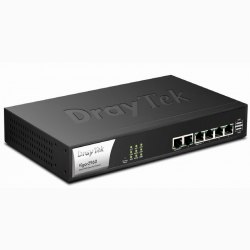
DrayTek Vigor2960
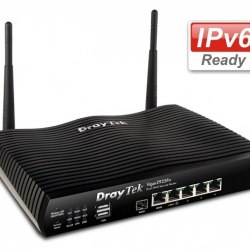
DrayTek Vigor2925FN
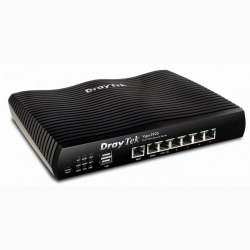
DrayTek Vigor2925
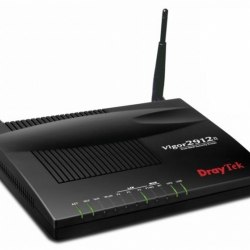
DrayTek Vigor2912Fn
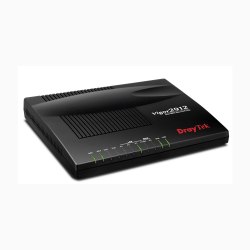
DrayTek Vigor2912F
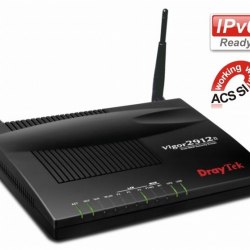
DRAYTEK VIGOR2912n
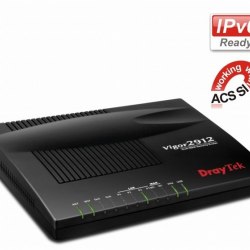
DRAYTEK VIGOR2912
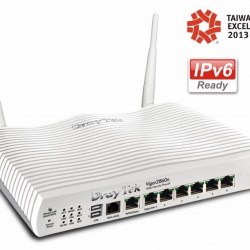
Draytek Vigor2860n
Draytek Vigor2860